


What Is [Process Adjustment]?
Overview
Set the density to output.
Correct the transfer output voltage or adjust the maximum density.
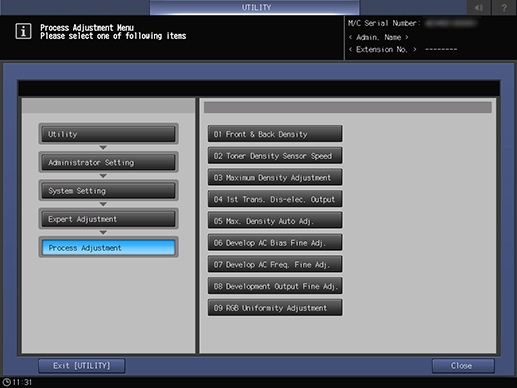
Setting Items
Screen access
Control panel - Utility/Counter - [Administrator Setting] - [System Setting] - [Expert Adjustment] - [Process Adjustment]
Setting item | Description |
|---|---|
Set the transfer output when outputting. | |
Automatically re-adjust the toner density control threshold of Mid High Speed, Medium Speed, and Low Speed. | |
Perform [Maximum Density Adjustment]. | |
Set the neutralization voltage of the 1st transfer belt for yellow, magenta, cyan, black, and special individually. | |
Perform [Max. Density Auto Adj.]. | |
Adjust the development AC bias for yellow, magenta, cyan, black, and special individually. | |
Adjust the development AC bias frequency for yellow, magenta, cyan, black, and special individually. | |
Adjust the development output for yellow, magenta, cyan, black, and special individually. | |
Adjust the RGB evenness. | |
[Drum Unit Initial Adj.] | This adjustment should be performed by the certified holder of ORU-M (Operator Replaceable Unit Management). Non-certified holders must not perform this adjustment. |
 in the upper-right of a page, it turns into
  and is registered as a bookmark.