


What Is [Marks]?
Overview
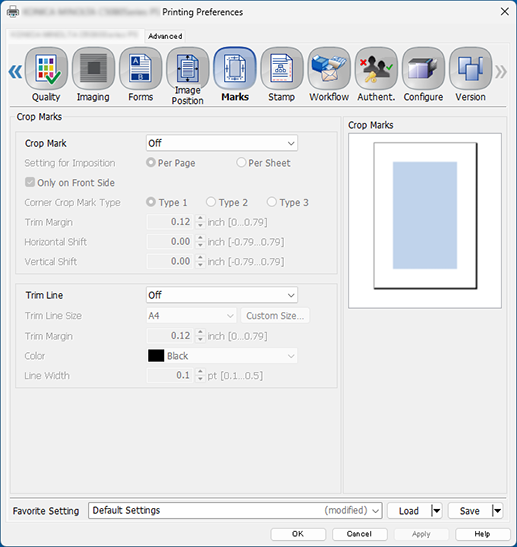
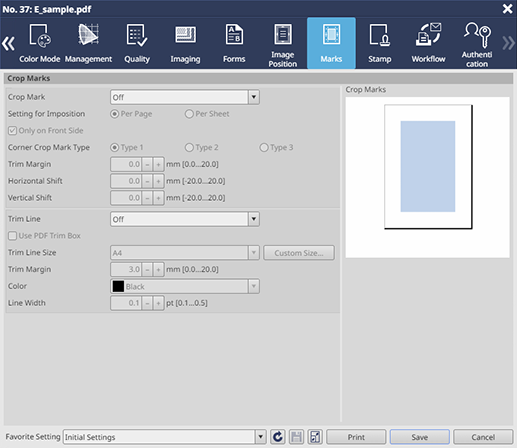
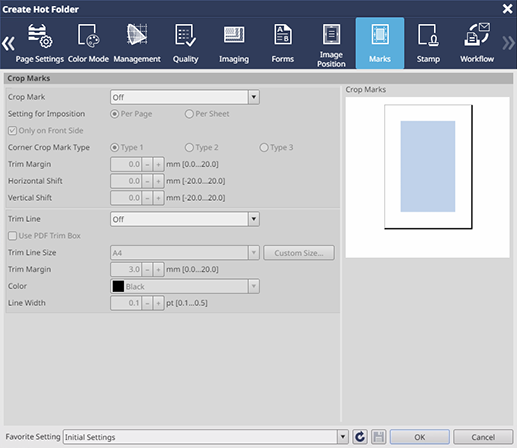
Configure settings to attach a line (corner crop mark) for trimming to the finishing size, a line (center crop mark) indicating the center of the top and bottom of prints, or the trim line for checking the trimming position to image data when printing.
The settings are displayed on the preview screen.
PS Plug-in Driver
AccurioPro Print Manager
AccurioPro Print Manager (Hot Folder Setting)
Setting Items
Screen access
PS Plug-in Driver - [Marks]
AccurioPro Print Manager - Select a job. - [Job Management] - [Job Settings] - [Marks]
Touch panel - [CNTL] - Select a job. - [Job Management] - [Job Settings] - [Marks]
AccurioPro Print Manager - [Configuration] - [Hot Folder Configuration...] - [Create...] - [Marks]
Touch panel - [CNTL] - [Configuration] - [Hot Folder Configuration...] - [Create...] - [Marks]
 in the upper-right of a page, it turns into
  and is registered as a bookmark.