


[G7 Calibration]
Overview
Carry out calibration using G7 Calibration.
You can obtain a gray reproduction common to various printing methods by adjusting the curve for each single color (CMYK).

Tips
- Exact Color is set to this system by default. When switching to G7 calibration, contact your service representative.
Setting Procedure
1
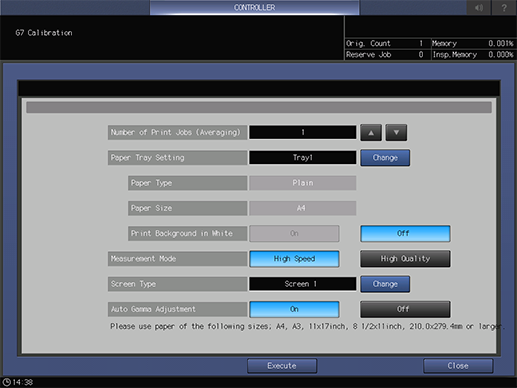
Press [+]/[,] of [Number of Print Jobs (Averaging)] to set the number of output charts.
2
Press [Change] of [Paper Tray Setting].
3
Select a paper tray, and press [OK].
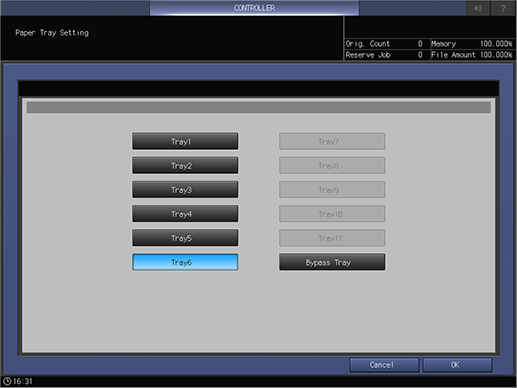
The selectable items vary depending on the optional devices mounted on this system.
4
Load paper into the paper tray selected in step 3.
The available paper sizes vary depending on the [Measurement Mode] setting.
[High Speed]: A4 or 8.5 e 11. The minimum size is length (X) 279.4 mm / 11", width (Y) 210.0 mm / 8.27".
[High Quality]: A3 or 11 e 17. The minimum size is length (X) 420 mm / 16.54", width (Y) 279.4 mm / 11".
5
Set [Print Background in White].
If set to [On], the entire surface of the paper is coated with white toner, and then printed with CMYK toner on top.
6
Select [Measurement Mode].
[High Speed]: This setting prioritizes the speed.
[High Quality]: This setting prioritizes the image quality.
Tips
- If [Print Background in White] is set to [On] on paper other than white, [High Speed] is not selectable.
7
Press [Change] of [Screen Type].
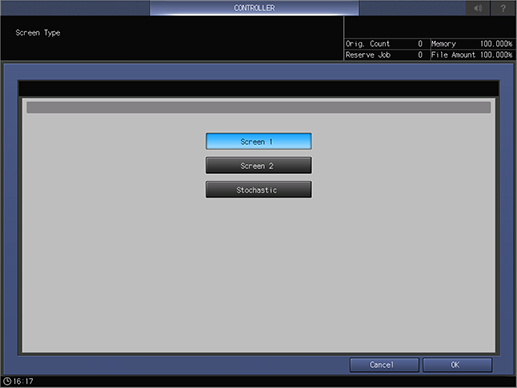
The setting screen is displayed.
8
Select the screen type to be used.
For details about screens, refer to[Custom Screen].
9
Set [Auto Gamma Adjustment].
In general use, select [On].
10
Press [Execute] to output a chart.
The output start dialog box is displayed. When output is completed, the display changes to a completion message.
11
Press [Close].
The result is displayed.
 in the upper-right of a page, it turns into
  and is registered as a bookmark.