
Replacing a Staple Cartridge
Finisher FS-542
1
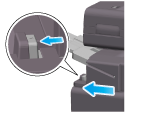
Pinch the Lock Release Lever, and slide the Finisher.
2
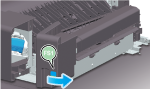
Hold the Handle [FS1] and open the Punch Kit.
3
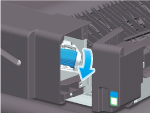
Unlock the Staple Cartridge.
4
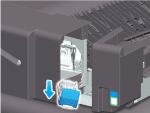
Pull out the Staple Cartridge.
5
Remove any empty staple cases from the Staple Cartridge.
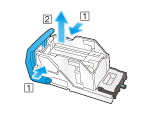
6
Attach a new staple case to the Staple Cartridge.
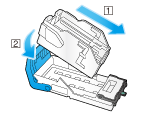
7
Attach the Staple Cartridge.
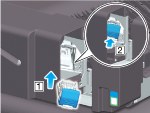
8
Close the Punch Kit.
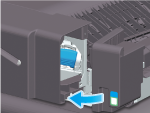
9
Close the Finisher.

Tips
- Do not remove staples that remain in the machine. Otherwise, the stapling function will activate but no sheets will be stapled.

NOTICE
- Be sure to replace the Staple Cartridge after the relevant message has appeared. If a Staple Cartridge is removed before the relevant message appears, it may result in a failure.
Finisher FS-P04
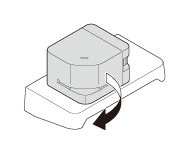
1
Turn the Finisher FS-P04 by 90 degrees.
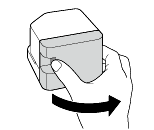
2
Open the cover.
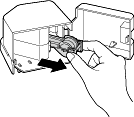
3
Pull out the Staple Cartridge.
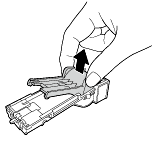
4
Lift an empty Staple Case while holding its both edges, then pull out it from the Staple Cartridge.
5
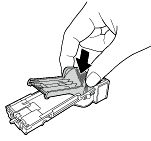
Mount a new Staple Case in the Staple Cartridge.
6
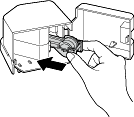
Insert the Staple Cartridge until it clicks.
7
Close the cover.
8
Turn the Finisher FS-P04 by 90 degrees to return it to the home position.
 in the upper-right of a page, it turns into
  and is registered as a bookmark.