
Allowing for upload of contents to this machine
If the Internal Web Server (IWS) function is enabled, you can transfer Web page contents to this machine and use the machine as a Web server.
Transfer the Web page contents to this machine using WebDAV. You can also use static content and script-base dynamic content to fit your environment.

To use the IWS function, ask your service representative to configure settings. For details, contact your service representative.
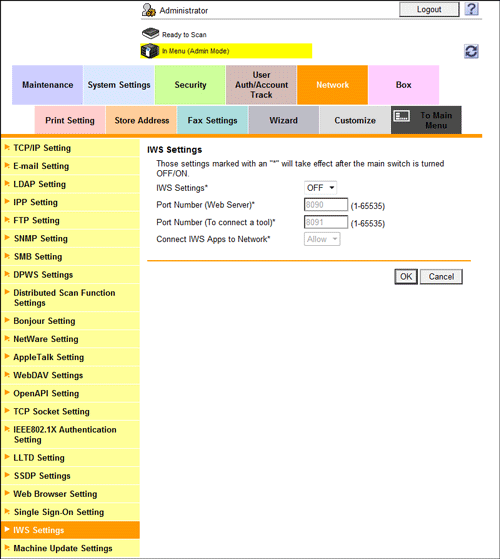
In the administrator mode, select [Network] - [IWS Settings], then configure the following settings.
Settings | Description |
|---|---|
[IWS Settings] | Select [ON] to use the IWS function. [OFF] is specified by default. |
[Port Number (Web Server)] | If necessary, change the port number used for accessing the Web page contents uploaded to this machine. [8090] is specified by default. |
[Port Number (To connect a tool)] | If necessary, change the port number to be used for dynamic contents of this machine. [8091] is specified by default. |
[Connect IWS Apps to Network] | If Web page contents uploaded to this machine have dynamic contents, such as scripts, select whether to allow an external connection of the dynamic contents. [Allow] is specified by default. |