User's Guide

Adding a font/macro
Add a font or macro to this machine. Also delete the registered font or macro.
In the administrator mode, select [Maintenance] - [Edit Font/Macro] - [New Registration], then configure the following settings.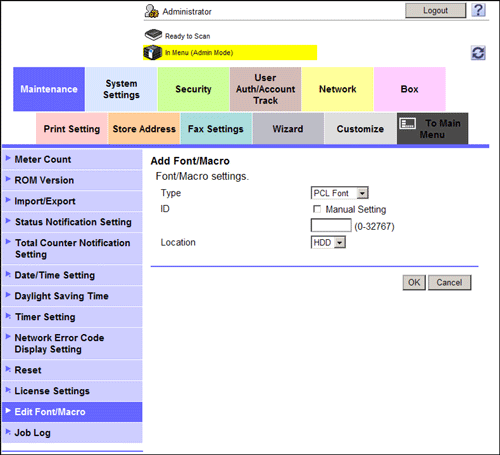
Settings | Description |
|---|---|
[Type] | Select a type of font or macro to be registered. |
[ID] | Enter the ID of the font/macro. This item cannot be configured if a PS font or PS macro is selected. If you enter an ID that has already been used, the existing ID will be overwritten by it. |
[Location] | Select the storage location of the font/macro. |