
Setting operations of the authentication unit
Authentication Unit (IC card type)
If you use the optional Authentication Unit (IC card type) , you can log in to this machine or execute a print job using the IC card authentication function.
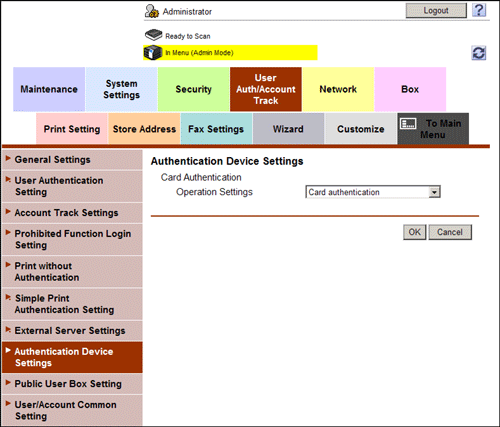
In the administrator mode, select [User Auth/Account Track] - [Authentication Device Settings], and then select how to log in to this machine (Default: [Card authentication]).
[Card authentication]: Allows the user to log in by simply placing the IC card.
[Card Authentication + Password]: Allows the user to log in by placing the IC card and entering the password.
Authentication Unit (biometric type)
If you use the optional Authentication Unit (biometric type), you can log in to this machine or execute a print job using the bio authentication function.
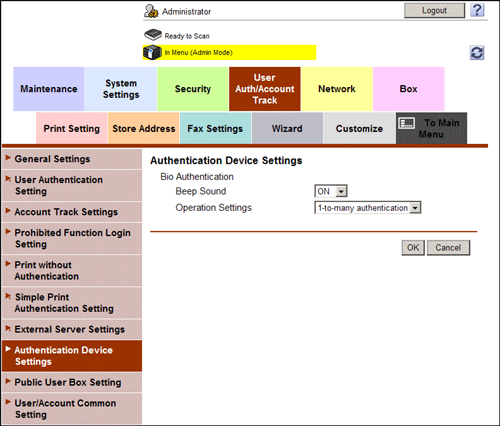
In the administrator mode, select [User Auth/Account Track] - [Authentication Device Settings], then set the operation of the bio authentication unit and how to log in to this machine.
Settings | Description |
|---|---|
[Beep Sound] | Select whether to give a "blip" sound when the finger vein pattern is scanned successfully. [ON] is specified by default. |
[Operation Settings] | Select how to log in to this machine.
[1-to-many authentication] is specified by default. |