User's Guide

Sending to your address (Scan to Me)
The Scan to Me function is a function that transmits original data scanned on this machine to your address easily.
To use the Scan to Me function, the following preparation is required.
Configuring the Scan to E-mail environment
Installing the MFP authentication or external server authentication
Registering an E-mail address as user's registration information
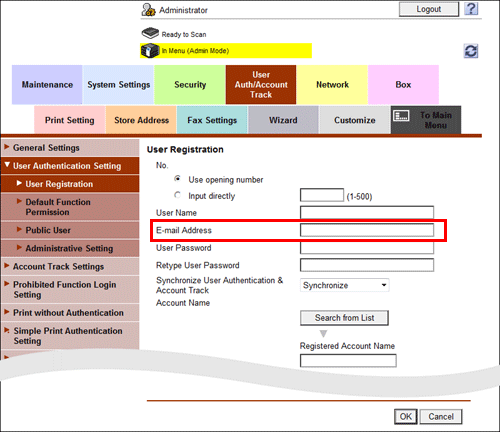
In the administrator mode, select [User Auth/Account Track] - [User Authentication Setting] - [User Registration], and enter your E-mail address into [E-mail Address] (using up to 320 characters, excluding spaces).

If Active Directory is used as an authentication server, register the user's E-mail address in Active Directory.
