User's Guide

Entering Characters
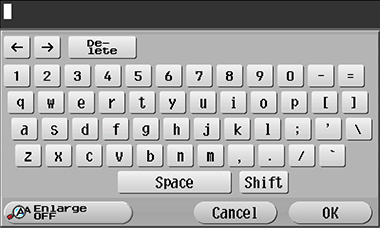
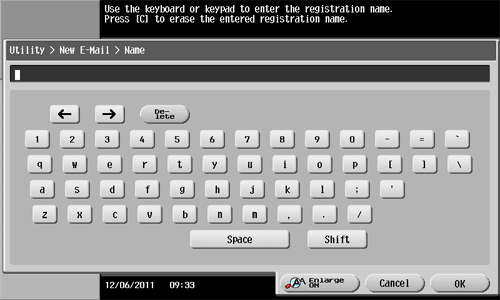
When entering characters to register an address or program, use the keyboard screen displayed on the Touch Panel. When entering numbers, you can also use the Keypad.
| Item | Description |
|---|---|
Keyboard | Tap the keys of characters you want to enter. |
[  ]/[ ]/[ ] ] | Press this key to move the cursor. |
[Delete] | Press this key to delete characters you entered one by one. |
[Shift] | Tap this key to enter uppercase letters or symbols. |
[Enlarge ON] | Press this key to enlarge the keyboard.
|
[Cancel] | Text entry is interrupted and the page returns to the previous screen. You can press C (Clear) to delete all characters you entered. |
[OK] | Press this key to apply the character you entered. |