User's Guide

Configuring PDF File Properties
Add meta- information such as a title or author as PDF file properties when sending a PDF file. When encrypting a file, select whether to target properties for encryption.
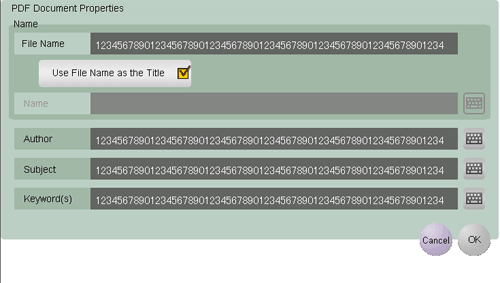
To configure PDF file properties, select [PDF] or [Compact PDF] as the file type, and press [PDF Detail Setting] - [PDF Document Properties]. Then, configure the following settings.
| Settings | Description |
|---|---|
[Name] | Clear the [Use File Name as the Title] check box to enter a title of a PDF file (using up to 64 single-byte characters or 32 double-byte characters). |
[Author] | Enter the name of the author of a PDF file (using up to 64 single-byte characters or 32 double-byte characters). If user authentication is installed on this machine, specify the user name as the author. |
[Subject] | Enter a subject of a PDF file (using up to 64 single-byte characters, or 32 double-byte characters). |
[Keyword(s)] | Enter a Keyword of a PDF file (using up to 64 single-byte characters, or 32 double-byte characters). |