User's Guide

Changing a Function to be Assigned to a Register Key
Select a function to be assigned to a Register key on the Control Panel to suit your environment.
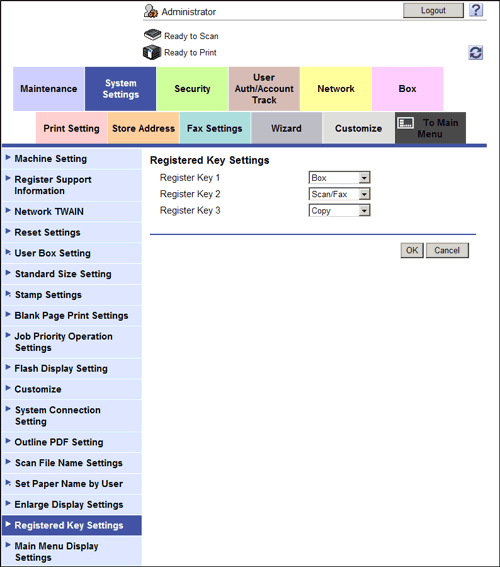
In the administrator mode, select [System Settings] - [Registered Key Settings] and, from [Copy], [Scan/Fax], [User Box], [Web Browser], [Utility], [APP], and [10 Keypad], select the function to be assigned to each Register key.
The following shows the default settings for the inch area.
- Register Key 1: [Scan/Fax]
- Register Key 2: [Copy]
- Register Key 3: [10 Keypad]
The following shows the default settings for the centimeter area.
- Register Key 1: [User Box]
- Register Key 2: [Scan/Fax]
- Register Key 3: [Copy]