User's Guide

Registering the Information to be Added to Header/Footer
When printing an original, you can recall the registered header/footer and print it at the top or bottom of a page. Up to 20 headers/footers can be registered.
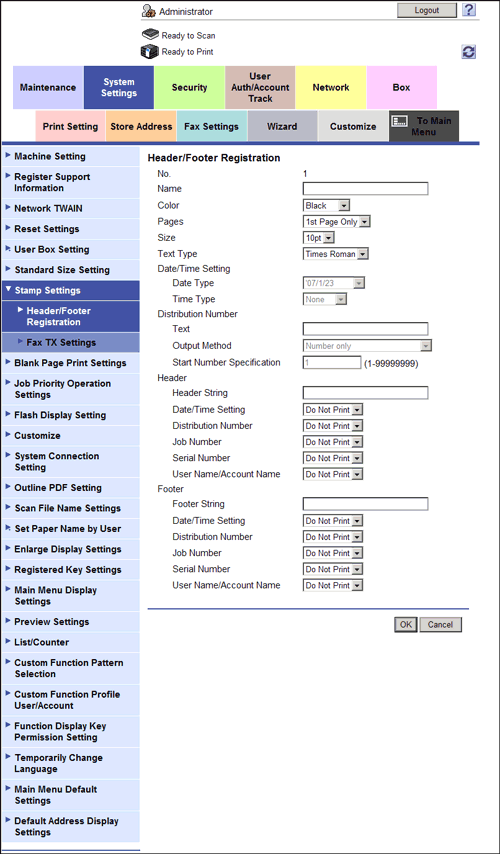
In the administrator mode, select [System Settings] - [Stamp Settings] - [Header/Footer Registration] - [Edit], then configure the following settings.
| Settings | Description |
|---|---|
[Name] | Enter the name of the header or footer to be registered (using up to 16 characters). When selecting a header or footer, give it a name that helps you easily identify it. |
[Color] | If necessary, select the print color of the text. |
[Pages] | Select the range of pages on which the text is printed in the header/footer. |
[Size] | If necessary, select the size of the text. |
[Text Type] | If necessary, select the font type of the text. |
[Date/Time Setting] | Select the display format of date and time if the [Date/Time Setting] of [Header] or [Footer] is set to [Print]. |
[Distribution Number] | Specify the content of distribution number to be displayed if the [Distribution Number] of [Header] or [Footer] is set to [Print].
|
[Header]/[Footer] | Specify the items to be printed on header/footer
|