User's Guide

Registering a Group
A group can be registered or edited using Web Connection. Although character input is a difficult process using the Touch Panel, it can be carried out easily if you use the computer.
Multiple one-touch destinations can be grouped and managed as a single group.
In the administrator mode, select [Store Address] - [Group] - [New Registration], then configure the following settings.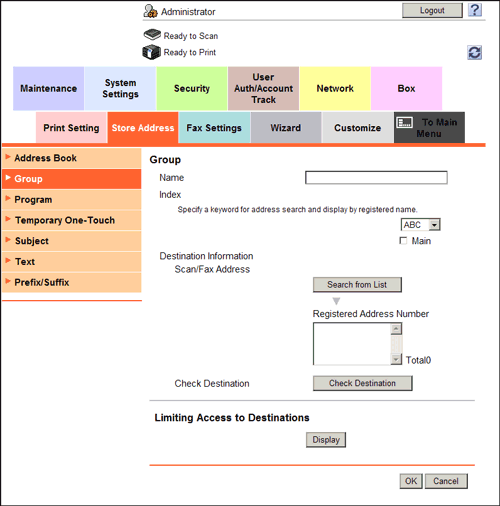
| Settings | Description |
|---|---|
[Name] | Enter the destination name using up to 24 characters. Assign a name that helps you easily identify the destination. |
[Index] | Select a corresponding character so that the destination can be index searched by registration name.
|
[Scan/Fax Address] | Click [Search from List], and select destinations you wish to include in the registered group. You can register up to 500 destinations in a group. You can also register different types of destinations, such as E-mail address and fax number, in a group. |
[Check Destination] | If necessary, click [Check Destination] to check the registered address books. |
[Limiting Access to Destinations] | Limit access to this destination, if necessary. For details, refer to Here. |