User's Guide

To display:
- [Copy]
- [Application]
- [No. of Originals]
- [Original Settings]
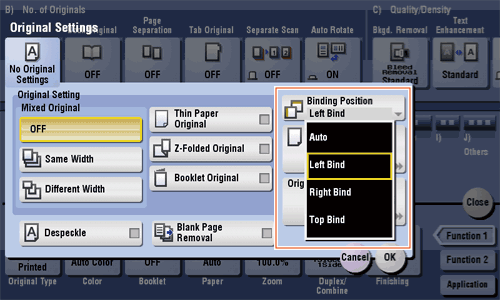
- [Binding Position]
- [Original Settings]
- [No. of Originals]
- [Application]
Set the options to scan originals correctly based on their properties.
| Settings | Description |
|---|---|
[Auto] | The binding position is automatically set. When the length of the long side of the original is 11-11/16 inches (297 mm) or less, the binding position is set to the long side of the paper. When the length of the long side of the original exceeds 11-11/16 inches (297 mm), the binding position is set to the short side of paper. |
[Left Bind] | Select this option when the binding position is set to the left of the original. |
[Right Bind] | Select this option when the binding position is set to the right of the original. |
[Top Bind] | Select this option when the binding position is set to the top of the original. |