User's Guide

To display:
- [Copy]
- [Application]
- [Layout]
- [Image Shift]
- [Layout]
- [Application]
You can fine tune the image position by shifting it in a horizontal or vertical direction according to the paper size. When an image is printed on the back side, you can also fine tune its position.
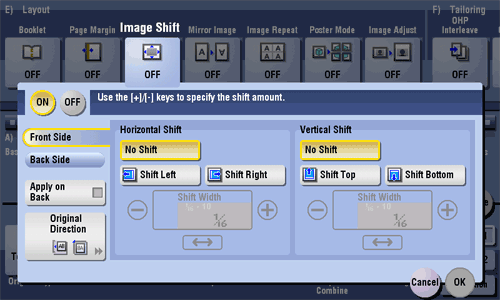
| Settings | Description |
|---|---|
[ON]/[OFF] | Select [ON] to shift an image. |
[Front Side]/[Back Side] | Adjust the image position on the print paper, by shifting the original image in horizontal or vertical direction.
|
[Apply on Back] | Set this item to use the same settings as used on the front side for the rear side of the print paper. |
[Original Direction] | Specify the orientation of the loaded original. |