User's Guide

To display:
- [Copy]
- [Application]
- [Edit Color]
- [Color Adjust]
- [Edit Color]
- [Application]
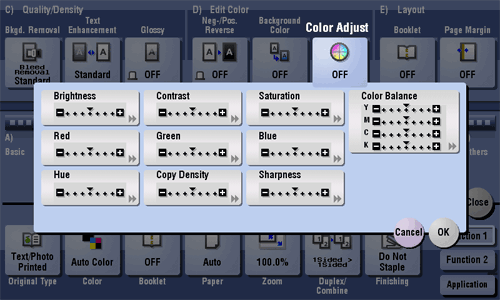
Adjust the color quality of the original for copying. You can check the finishing by printing a sample copy.
| Settings | Description |
|---|---|
[Brightness] | Adjust the brightness level. |
[Contrast] | Adjust the shading of an image. |
[Saturation] | Adjust the saturation level. |
[Red] | Adjust the intensity of red. |
[Green] | Adjust the intensity of green. |
[Blue] | Adjust the intensity of blue. |
[Hue] | Adjust the hue. The hue refers to a color trend relative to discrete colors such as red, blue and yellow. By adjusting the hue, the image can attain more reddish or bluish tone, for example. |
[Copy Density] | Adjust the copy density. |
[Sharpness] | Sharpen the edges of the image to improve legibility. Smoothen the rough contour or sharpen the blurred image. |
[Color Balance] | Adjust the density for yellow (Y), magenta (M), cyan (C), and black (K). By changing the amount of each of the four toners, tints in the copy can be adjusted. |