User's Guide

Deleting log information
Select [Menu] - [Del. History] on the toolbar to delete cookies, cache data, authentication information, and other information.
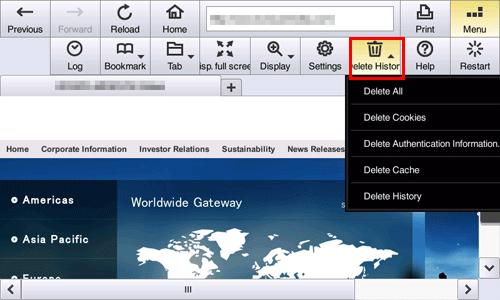
Settings | Description |
|---|---|
[Delete All] | Deletes all cookies, authentication information, cache data, and browsing logs stored on this machine. |
[Delete Cookies] | Deletes all cookies stored on this machine. Deleting cookies prevents information used to access a Web page, or personal information such as the ID or password you entered on the Web page, from being leaked. |
[Delete Authentication Information] | Deletes all authentication information stored on this machine. |
[Delete Cache] | Deletes all cache data stored on this machine. |
[Delete History] | Deletes all browsing logs stored on this machine. |