User's Guide

How to Clean
Cleaning the Control Panel
Wipe the surface using a soft, dry cloth.
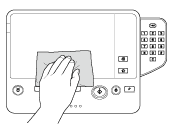

Do not press the Control Panel hard, otherwise the keys and Touch Panel may be damaged.
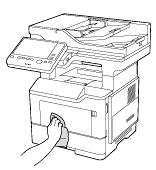
Cleaning the outer covers
Wipe the surface using a soft cloth moistened with a mild household detergent.
Cleaning the original scanning area
Open the ADF.
Wipe stains off the following locations using a soft cloth.
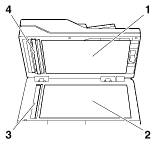
No.
Name
1
Original Cover Pad (White part in the opposite side of the Original Glass)
2
Original Glass
3
Original Scan Glass
4
White part in the opposite side of the Original Scan Glass
Close the ADF.
Open the ADF Feed Cover.
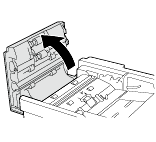
Wipe stains off the following locations using a soft cloth.
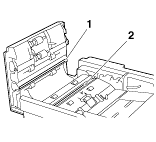
No.
Name
1
White part in the opposite side of the Original Scan Glass
2
Original Scan Glass
Close the ADF Feed Cover.